Case Details
Cases on the Dashboard
Section titled “Cases on the Dashboard”Dashboard Row
Section titled “Dashboard Row”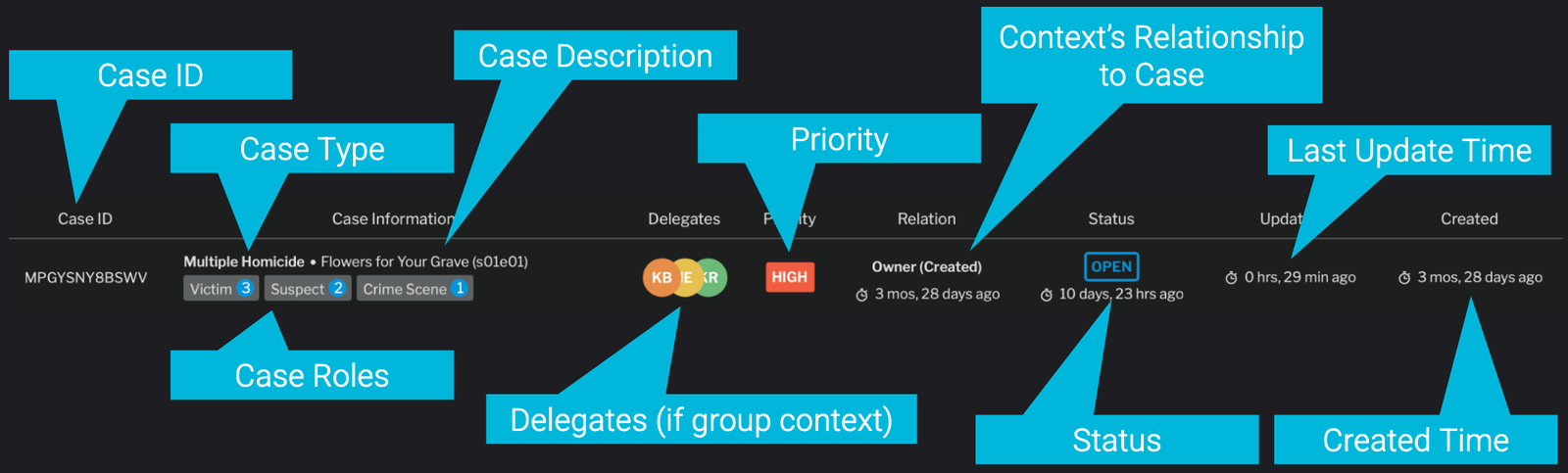
Case Dashboard Row - Details
Details Panel
Section titled “Details Panel”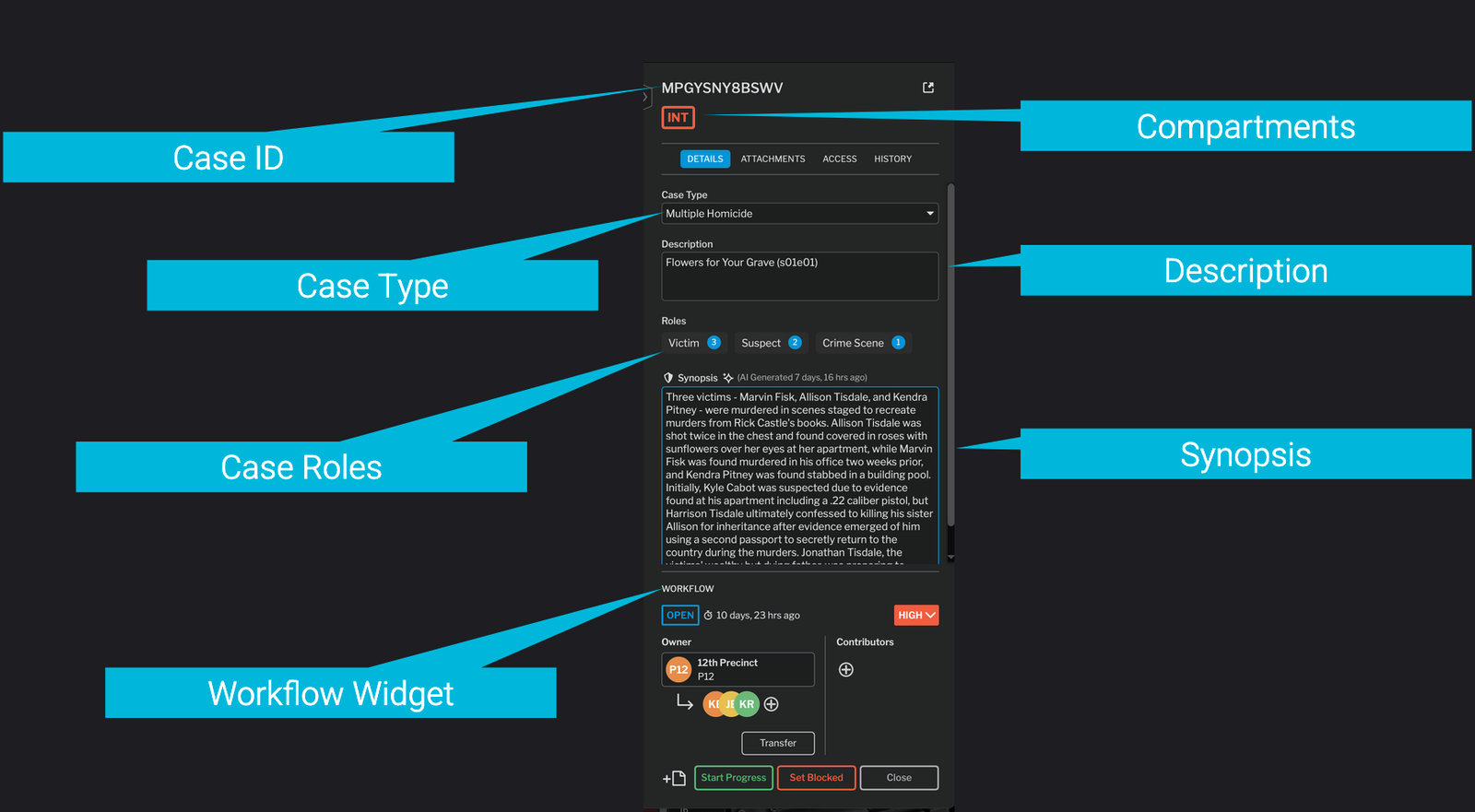
Case Details
Detail Fields
Section titled “Detail Fields”Case ID & Case Description
Section titled “Case ID & Case Description”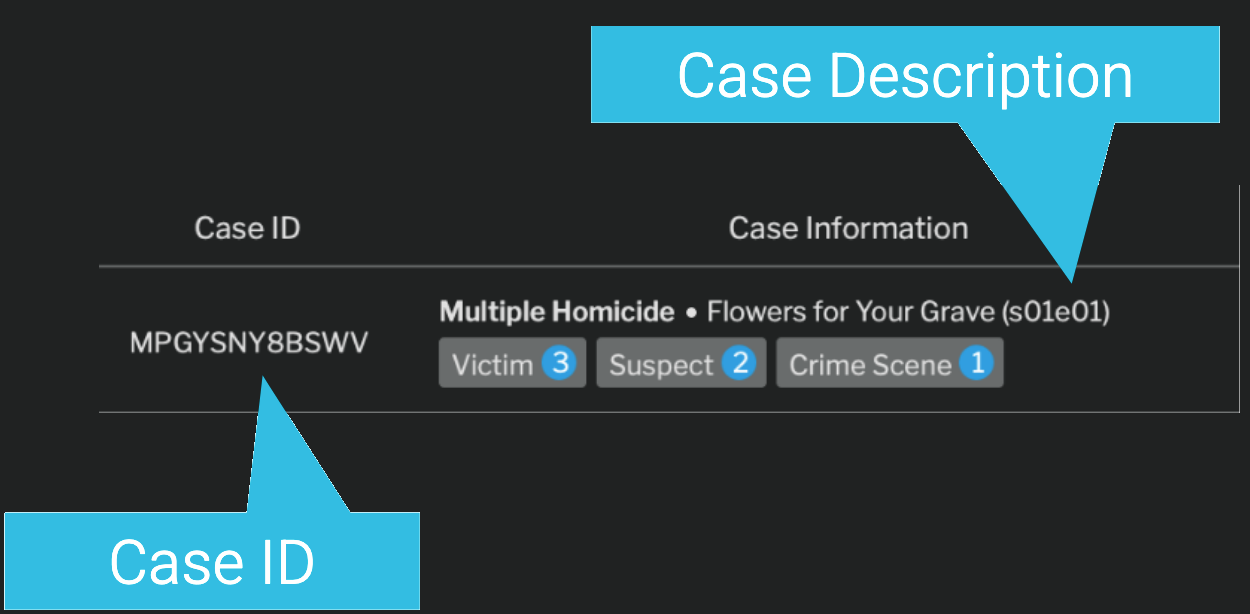
Case ID and Description
A Case ID is an auto-generated ID that uniquely identifies a case. If you have your own Case ID system, nQuest can integrate with a Custom Case ID assignment schema.
A Case Description is a short text description visible to all who can see a case.
Case Types
Section titled “Case Types”Case Types can be assigned in the Case Details window, or upon creation of a case. They are a way to classify and organize cases.
For more details on configuring case types and outcomes, see Case Tags.
Outcomes
Section titled “Outcomes”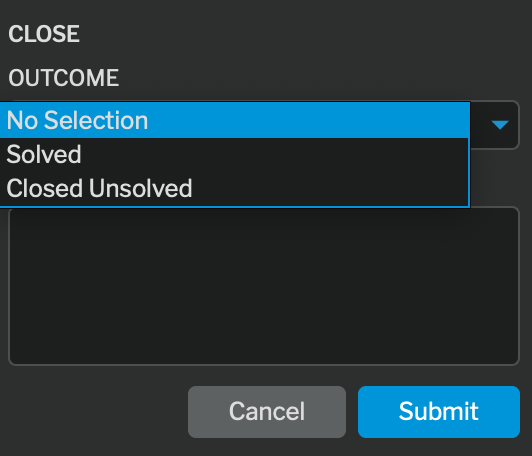
Outcomes are the possible resolutions of a given case type. When a case is closed, an outcome may be assigned based on the case type.
These outcomes can be customized in the Case Tags settings.
For more details on configuring case types and outcomes, see Case Tags.
For more details on closing a case, see Closing a Case.
Case Synopsis
Section titled “Case Synopsis”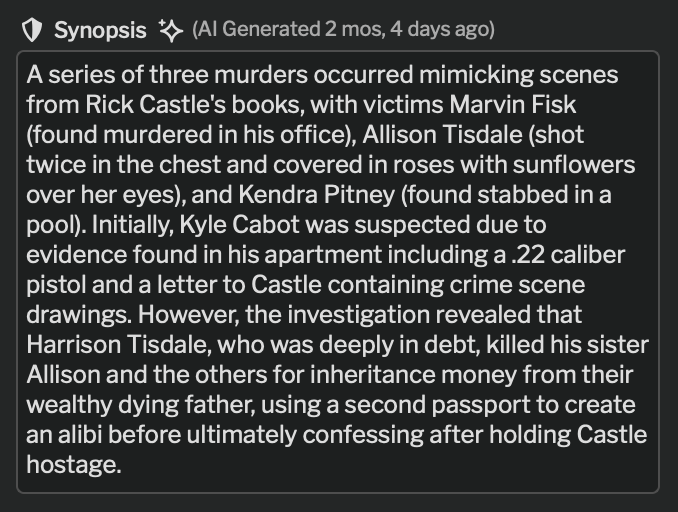
The case synopsis is an AI-generated summary of the contents of the case.
If your account is set to AI Enabled, this automatically runs overnight if the case has been updated since the last run. It can also be run by clicking on the regenerate icon.
The synopsis is only visible to users who can see the contents of the case it’s generated from. (Summary viewers cannot see it)
It can be manually edited by a case owner. Manually editing the synopsis disables auto-generation. To re-enable, use the ‘regenerate’ button to manually trigger AI generation again.
The AI synopsis helps reduce management overhead in understanding status of cases in progress.
Case Attachments
Section titled “Case Attachments”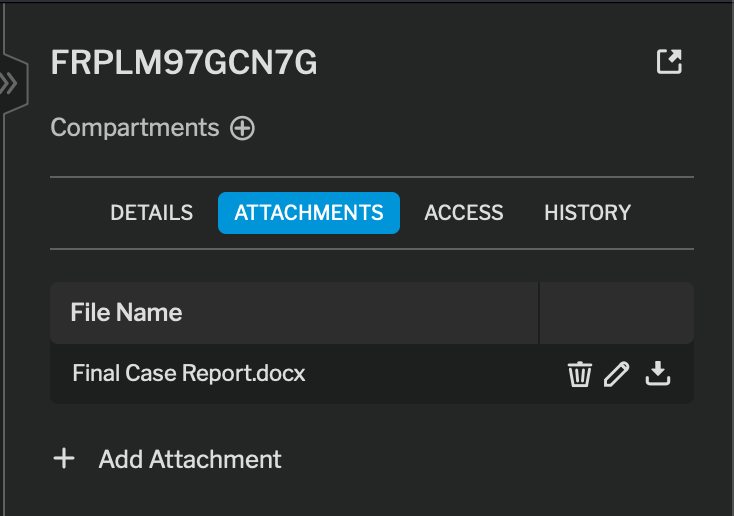
Attachments allow you to place files at the top level of a case. This is often used for final case reports.
Unlike contents of the case, these can be seen by any user who can see the case itself - it doesn’t require full view privileges to open.