
Your Investigation,
Connected from Source to Finding.
nQuest brings records, documents, field notes, and web research into a shared workspace. Collaborate with colleagues on the same cases, keeping every finding connected to its sources.
- Capture full pages with URL and collection time
- Ask AI about your evidence, with source references
- Deliver editable reports (.docx) and supporting case files
Try nQuest free for 30 days. No commitment - cancel at any time.
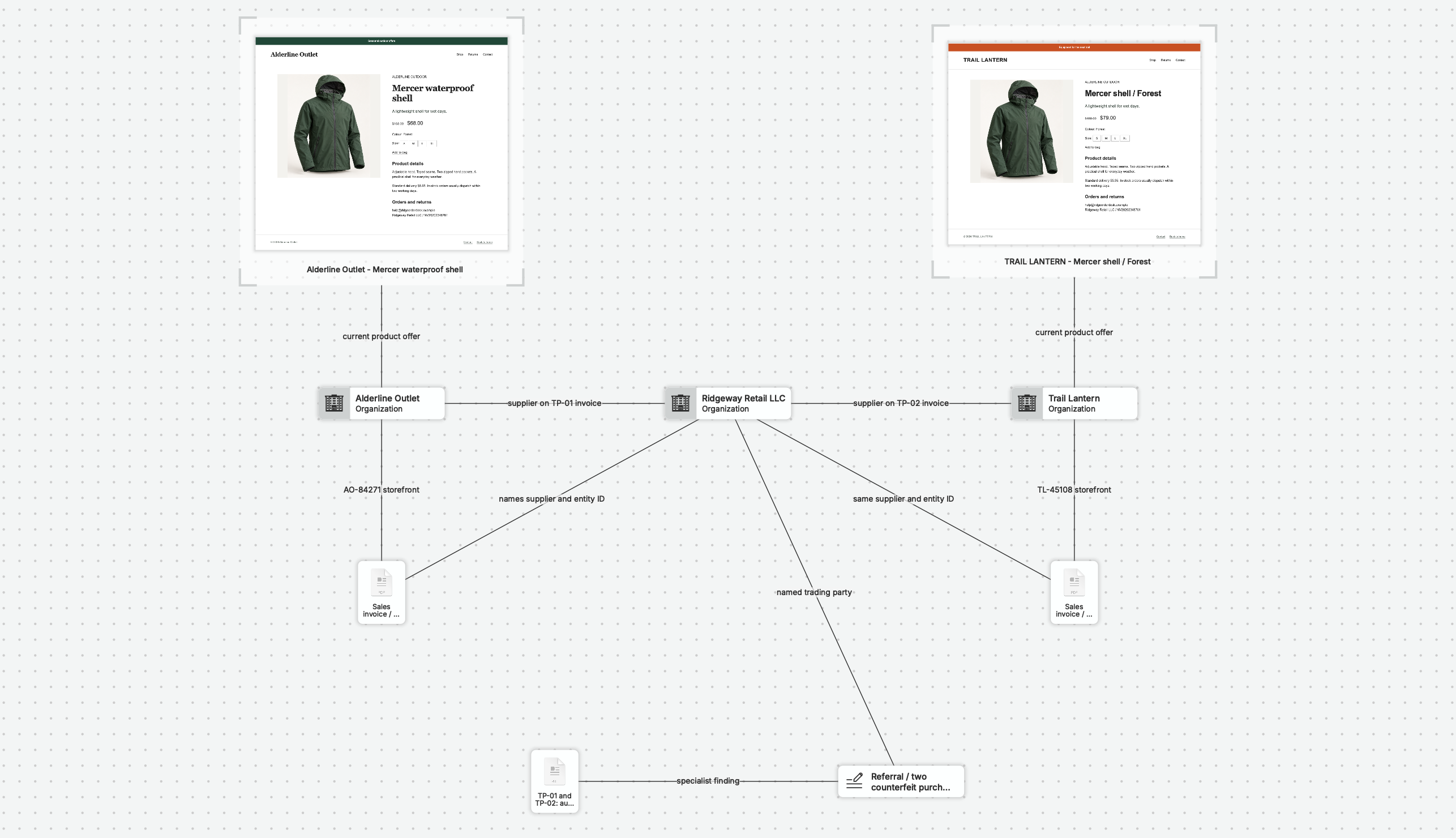
From First Source to Defensible Finding.
Keep the Source
Documents, photos, and web captures, with the originals preserved.
Connect the Context
Put people, places, and relationships in context.
Ask About the Case
Get AI answers drawn from your case material.
Explain the Finding
Build clear findings with their supporting sources.
A shorter excerpt shows Full Page Capture, collection progress, Saved to nQuest, explicit copying into the case, the graph preview, and the education and admissions in the original reader. Pauses and part of collection progress are omitted.
Every Source Belongs in the Same Case.
Keep using your browser, research services, and record systems. Capture full web pages and supported scrolling panels with their source URL and collection time, then bring them together with client files and field photographs in nQuest.
Keep the material behind each finding close at hand, so you can revisit a lead without searching downloads, tabs, and email threads.
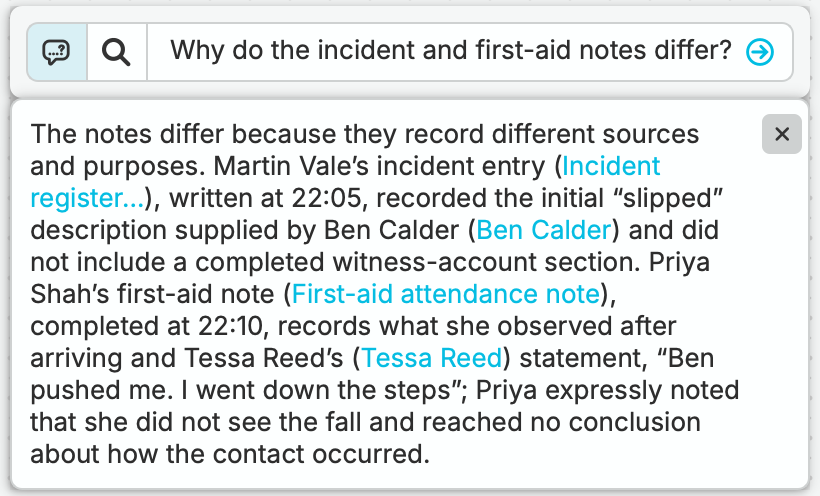
Ask nQuest’s AI About Your Case.
“Why do the incident and first-aid notes differ?”
Ask in plain language. nQuest draws its answer from your documents, notes, and captures, with references back to the sources so you can open each record and check it yourself.
Compare the accounts, spot what is firsthand and what was repeated, and plan your next inquiry from what the evidence actually says.
See nQuest in Practice.
Three worked investigations with fictional cases. Each one shows the assignment, the evidence trail in nQuest, and what the investigator could conclude.
 Locate · Private investigation
A Locate Case
Counsel needs a witness to a trucking accident now in major litigation. Follow Cedar & Vale as they assess address leads and coordinate fieldwork.
Result: Owen Bell identified at 46 Juniper Court on 3 September. Location report prepared for counsel. No contact made.Follow the locate → Due diligence · OSINT
Checking a Disaster Appeal
Before a client matches employee donations, Priya Nair checks connected fundraising pages, reused photographs, and charity records.
Result: Recommend withholding the Relief Now match. Community Kitchen assessed separately, subject to normal payment checks.Follow the appeal check →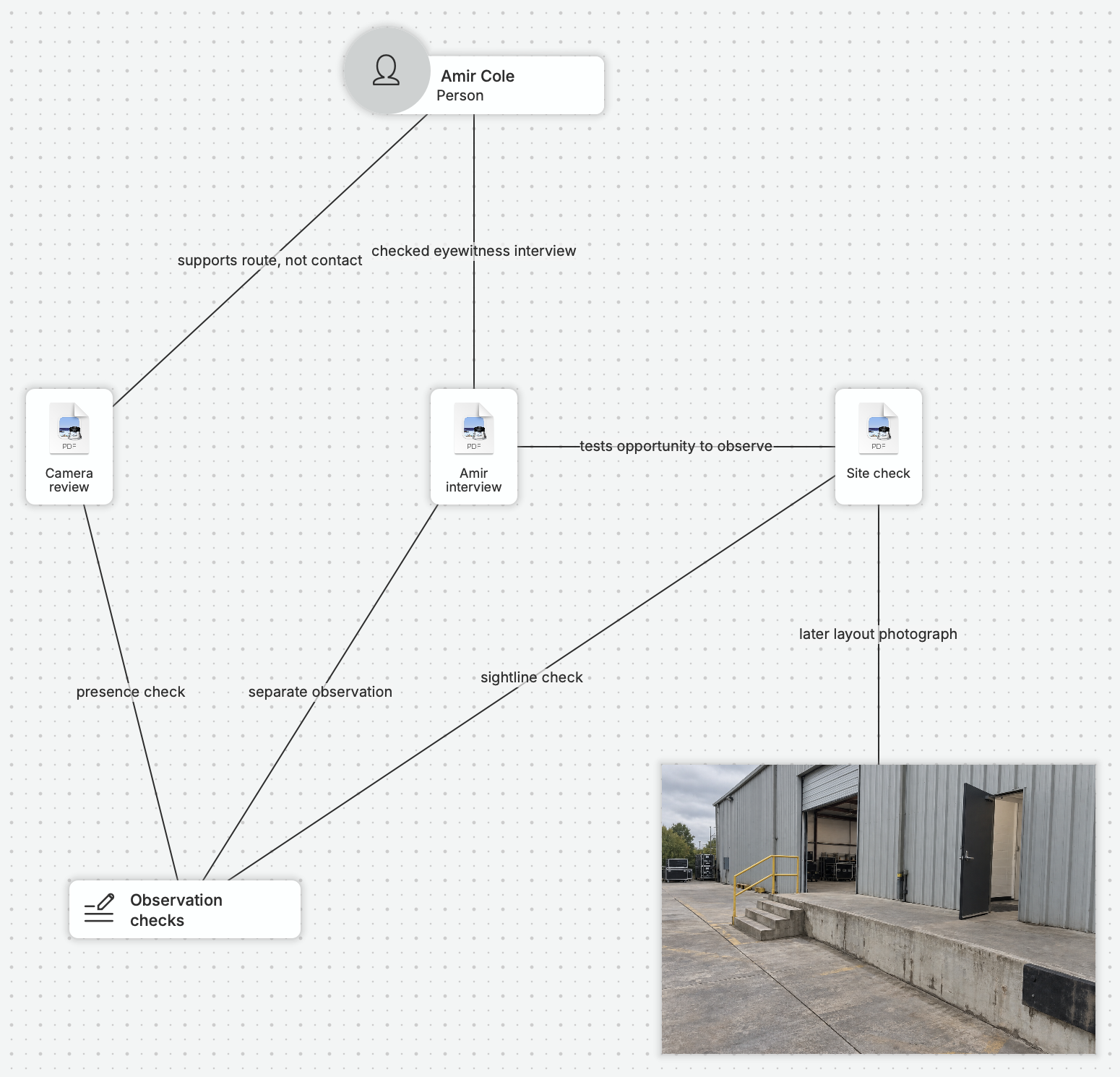 Workplace · Incident review
Conflicting Accounts of an Incident
An alleged push leaves an employee seriously injured. Follow Leah Grant as she compares accounts and checks a witness’s view.
Result: The “slipped” description came from Ben’s account rather than an independent witness. Assessment prepared for employer review.Follow the review →Start with a Few Sources. Add Structure as You Need It.
Start with your documents and notes. Connect people, places, and tasks as the investigation develops.
- 1
Sources and Notes Stay Together
Keep each original document, capture, or note alongside your observations. Add relationships as they emerge.
- 2
Each View Supports a Different Task
Use the graph to explore connections, the list to review items, and AI-powered search to find specific material.
- 3
Work on Cases Together
Assign follow-up tasks, track contributions, and give reviewers read-only access. Use case history and handoff notes to pick up where you left off or help a colleague continue the work.
Explore collaboration →
Answer the Questions That Matter to You.
Start Your Next Investigation in nQuest.
Start with a source and a question. Onboarding and setup assistance are included.