
Keep the Assignment Together from the Start.
A locate can move from a people-search report to an address inquiry, a field visit, and a client update. nQuest keeps the records and follow-up together as the assignment moves between desk research and fieldwork.
Add case notes as calls, inquiries, and field visits happen. Client files, photographs, and web research stay with the assignment, ready when the client asks for an update.
Get More from the Research You Have.
Address leads are easier to revisit when the search reports, inquiry notes, and field observations are connected. nQuest brings them together with browser captures that retain the source page and collection details.
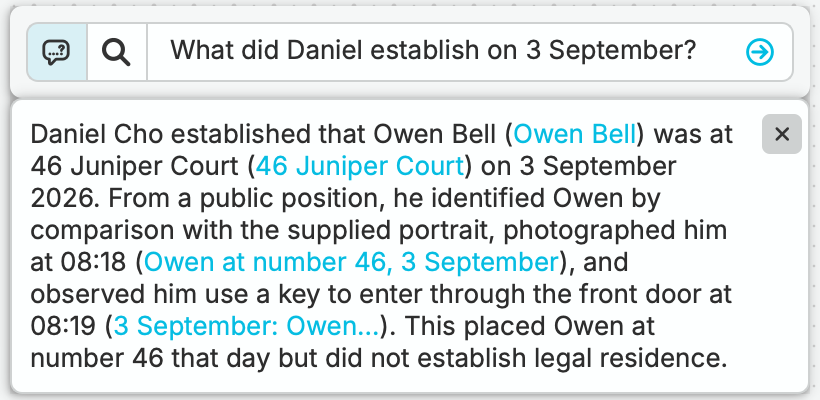
Ask nQuest’s AI which sources support an address lead or where dates and identifiers differ. Its answers draw from the collected reports and notes and include source references, helping you focus the next inquiry and explain the finding to your client.
Make Room for More Cases.
Organized research, follow-up tasks, and case contributions leave more room for the investigative work. Spend less time hunting for files or chasing progress as you manage several assignments.
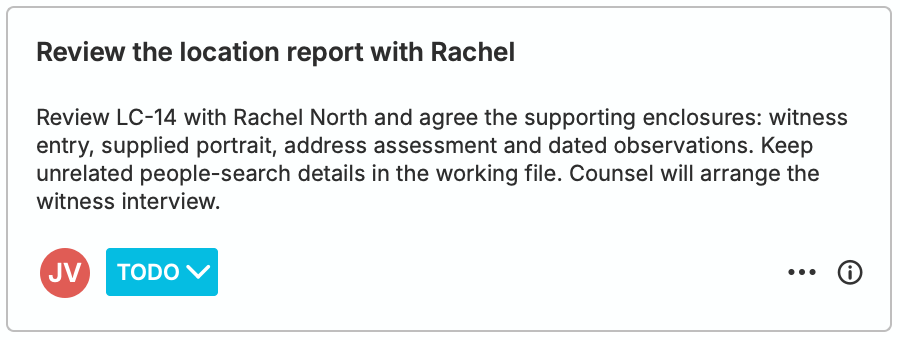
On Team, another investigator can take on a defined contribution while you retain ownership. Their progress and return note stay with the case, making it easier to bring their work into the assignment and keep the client informed.
Client-Ready Visuals That Set Your Work Apart.
A clear case visual helps clients understand how people, companies, and events connect. Export the view as an image for your report or briefing and give complex findings a more professional presentation.
An editable Word draft gives you a head start on the written report, with case and folder exports available for the supporting files. The research is already assembled; you can focus on the conclusions and the report your client needs.
Questions Worth Asking.
Does nQuest handle client billing and contracts?
No. Keep using your existing tools for client billing and contracts. nQuest helps with the investigative work: organizing case material, exploring leads, recording progress, and preparing findings and reports.
Can I track activity on a case?
Yes. Add case notes to record calls, inquiries, field visits, and progress updates. Those notes stay in the case history, so you can see what has been done and pick up the next step. See case notes and history
Can I edit the report for my client?
Yes. nQuest generates an editable Word draft. Review the source support, refine your conclusions, and prepare the final report for the assignment.
Can I use reports from people-search services?
Yes. Run your searches in services such as TLOxp, then import the exported reports as documents in nQuest. Your inquiries and field notes can stay alongside the leads they concern.
Can another investigator help while I retain ownership?
Yes. Team supports case contributions within the contributor’s assigned access. You retain ownership and receive their work with a return note. Reviewers can have read-only case access; summary viewers see library details without opening the case file.
Do I need to design a case structure before I begin?
No. Start with the assignment’s question, a few reports or captures, and your notes. Use the list to review the material and add entities or relationships when they help explain what you found.